The short answer
- If your office has dead zones, video calls that drop when people walk between rooms, or a move or renovation coming, you need a wireless site survey.
- Without a survey, you're guessing, and adding more access points to a guess often makes Wi-Fi worse.
- A good survey ends with heat maps, an access point placement plan, a channel and power plan, and a cabling plan for every AP.
1. Why Wi-Fi fails in offices that "have plenty of access points"
Most office Wi-Fi problems aren't caused by too little signal. They come from:
- Walls and materials. Concrete, brick, elevator shafts, glass with metallic coatings, filing cabinets and even full bookshelves absorb or reflect signal. A floor plan doesn't show how much.
- Co-channel interference. Access points on the same channel that can hear each other have to take turns. Too many APs at full power can slow everyone down.
- Capacity, not coverage. A conference room with 30 laptops and phones needs more airtime than an empty hallway, even though both "have signal."
- Neighbors. In multi-tenant buildings, the suite next door's network shares the same airwaves as yours.
A survey measures all of this so the design fixes the actual cause.
2. The four types of wireless site survey
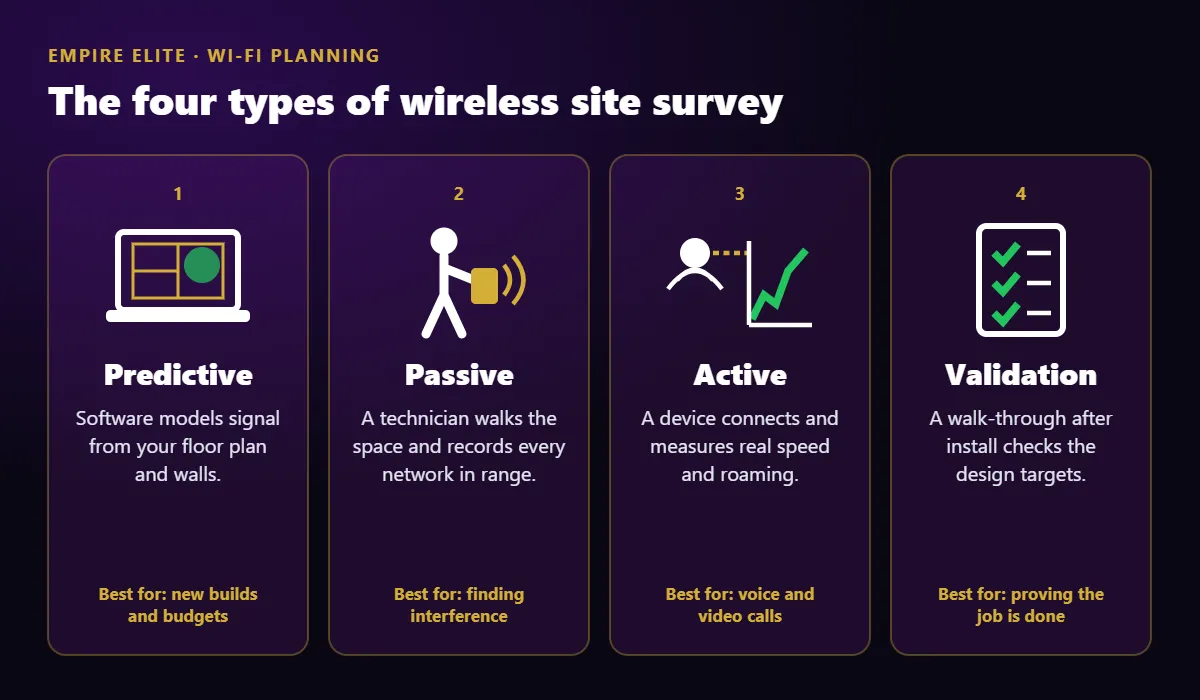
| Survey type | What happens | Best for |
|---|---|---|
| Predictive | Software models signal using your floor plan and wall materials. No one visits the site yet. | New buildings, renovations, budgeting before construction |
| Passive | A technician walks the space with survey equipment, recording signal strength and interference from every network in range. | Diagnosing an existing network, finding neighbor interference |
| Active | The survey device connects to your network and measures real throughput, packet loss and roaming as it moves. | Voice and video readiness, troubleshooting drops |
| Validation (post-install) | A walk-through after installation to confirm the network meets the design targets. | Proving the job was done right, handover documentation |
Many projects combine them: predictive to plan and budget, then a validation survey after the access points are mounted.
3. What a survey measures
Signal strength (RSSI)
Measured in dBm. Closer to zero is stronger. Design targets depend on use: networks that carry voice over Wi-Fi are usually designed to a stronger minimum signal than basic data coverage. A commonly used voice-grade target is around −67 dBm, the cell-edge figure in Cisco's Voice over WLAN design guidance.
Signal-to-noise ratio (SNR)
Signal strength alone isn't enough. If background noise is high, devices fall back to slower data rates.
Channel overlap and interference
The survey records which channels your APs and your neighbors' APs use on the 2.4 GHz, 5 GHz and (for Wi-Fi 6E and Wi-Fi 7 equipment) 6 GHz bands, so channels can be assigned to avoid conflicts. The 6 GHz band was opened to Wi-Fi by the FCC in 2020, which is why newer access points have far more clean channels to work with.
Roaming behavior
For staff on the move (warehouses, clinics, schools, multi-room offices) the survey checks that devices hand off cleanly between access points instead of clinging to a distant one.
4. What you should get at the end
A good survey produces documents your team can use, not just a verbal "looks fine":
- Heat maps showing signal strength, SNR and channel coverage on your floor plan
- Access point placement plan with mounting locations and heights
- Channel and power plan for each AP
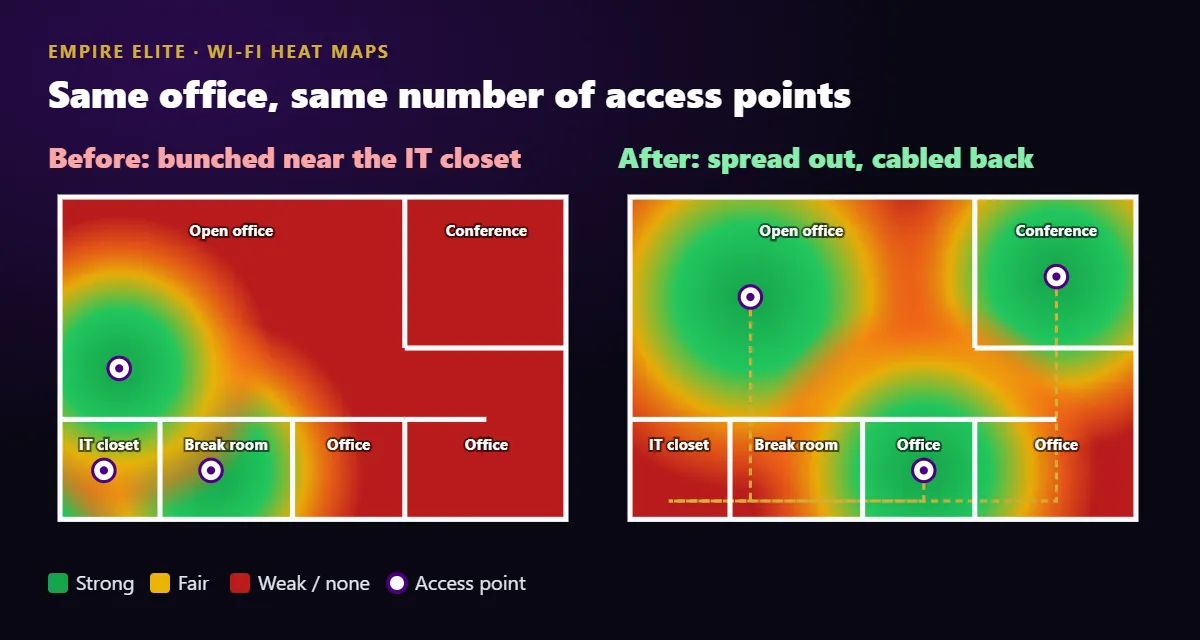
- Cabling plan for each AP location, since every access point needs a data drop
- Problem list such as interference sources, dead zones and capacity hot spots
- As-built documentation after installation, matching what's actually on the ceiling
5. Do I need a Wi-Fi site survey? Signs your office does
Use this checklist. Two or more "yes" answers mean a survey is worth scheduling.
- Wi-Fi drops or slows in specific rooms, especially conference rooms
- Teams or Zoom calls freeze when people walk between areas
- You've added access points or "extenders" and it didn't help
- You're moving, renovating, or adding a floor
- You plan to add Wi-Fi calling, wireless VoIP handsets or scanners
- Headcount has grown since the network was installed
- You share a building with other tenants
- You're upgrading to Wi-Fi 6E or Wi-Fi 7 access points
If Wi-Fi calling or desk phones are part of the plan, check your network is ready for voice before you switch. Voice is the first thing to suffer on a weak network.
6. Don't forget the cable behind the wireless
Every access point is connected by a cable. Modern APs draw Power over Ethernet and can push multi-gigabit speeds, so the cable run to each AP matters as much as its position on the ceiling. If you're placing new APs, plan the drops at the same time.
Our enterprise guide to Cat6 vs Cat6A structured cabling explains why many new installations run Cat6A to access point locations. Standard copper Ethernet channels are limited to 100 meters (90 m permanent link plus 10 m of patch cords, per TIA-568), which can decide where APs and switches can go in large spaces.
7. Common Wi-Fi mistakes a survey prevents
- Mounting APs where it's convenient, not where they're needed. Access points end up in closets or above drop ceilings near the switch, far from the people who use them.
- Turning every AP up to full power. Phones and laptops transmit at much lower power than an access point, so a loud AP can "reach" a device that can't reply clearly. The result looks like full bars with poor performance.
- Ignoring the 2.4 GHz band's limits. It has only three non-overlapping channels in the US (1, 6 and 11), so dense deployments need careful planning or a 5 GHz/6 GHz-first design.
- Planning for today's headcount. Design for the number of devices you expect in the coming years, not just the staff list, since most people carry more than one device.
8. When to schedule a survey
- Before construction or a move: run a predictive survey so cabling contractors pull drops to the right spots while ceilings are open.
- Before buying hardware: the survey tells you how many APs you need, so you don't over- or under-buy.
- After installation: a validation survey confirms the result and gives you a baseline for future troubleshooting.
Not sure which one fits your project? Our team can talk through your floor plan and recommend a starting point.
9. Wireless site survey FAQ
What is a Wi-Fi heat map?
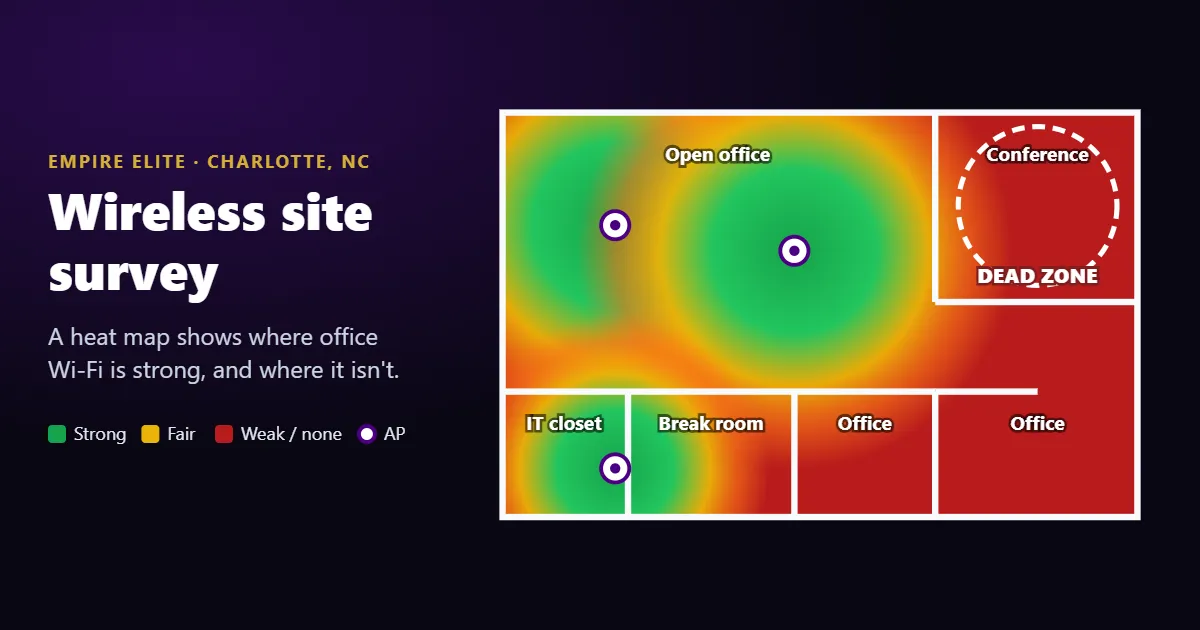
A heat map is a color-coded picture of your floor plan that shows Wi-Fi signal strength in each spot. Green usually means strong signal and red means weak or none. Heat maps make dead zones and overlapping access points easy to see, and they're one of the main outputs of a site survey.
How long does a wireless site survey take?
It depends on the size of the space, the number of floors and the survey type. A predictive survey is done from floor plans before anyone visits, while passive and active surveys mean walking every area. Ask for a timeline when you request a quote.
Can I do a Wi-Fi site survey myself?
Free phone apps can show signal strength where you're standing, which is useful for a quick check. A professional survey adds calibrated equipment, interference and channel analysis, roaming tests and a written AP placement plan. For an office with more than a few access points, or with voice over Wi-Fi, a professional survey is usually worth it.
Do I need a new survey when I upgrade to Wi-Fi 6E or Wi-Fi 7?
Usually, yes. Wi-Fi 6E and Wi-Fi 7 access points can use the 6 GHz band, which travels less far through walls than 2.4 GHz. A layout designed for older access points may leave gaps, so a predictive or validation survey for the new band is a good idea.
What's the difference between a predictive and an on-site survey?
A predictive survey uses software and your floor plan to model coverage before installation. An on-site survey (passive or active) measures the real building, including interference from neighbors. Predictive is best for planning and budgets; on-site is best for fixing a network that's already in place.
Get a Wi-Fi Plan for Your Charlotte Office
Empire Elite's Wireless Network Design service covers site surveys and heat mapping, access point placement, controller configuration, guest networks and security, plus the structured cabling that feeds every access point. If your Wi-Fi isn't keeping up, or you have a move or renovation coming in the new year, request a survey or call 980-309-8122 to talk it through with our team.
Request a Wireless Site Survey